Custom-built for your workflow and instrument setup.
Many labs and facilities end up treating parts of the workflow as unavoidable manual work: the inspection that takes far longer than it should, the report assembled by hand after every run, the acquisition that only works when one specific person sets it up.
Often, these are not hard limits of the instrument. They are workflow and software problems, and many of them are fixable.
"Our workflow works, but it only works when the right person is at the instrument."
"Every session is set up slightly differently. Results are inconsistent between operators."
"We have been told the software cannot do what we need. We are stuck."
"Our analysis is done manually after acquisition. It takes longer than the imaging itself."
We build custom automation software that connects to your microscope and the tools around it. Most projects involve a mix of acquisition control, image analysis, and structured output. The delivered solution runs in your environment, is built around your workflow, and is documented so your team can maintain and extend it later without being dependent on us for every change.
Your workflow requires a skilled person to make hundreds of small decisions: adjust focus, draw a region, measure a feature, export a result. It takes hours. It varies by operator. It does not scale.
We write software that handles those specific steps automatically. The operator launches the job; the system takes care of the repetitive part. The software just handles the decisions that can be written down and repeated.
ZEN Blue, ZEN Black, ZEN Core; Python, C#, VBA; OAD macros and ZEN extension APIs; HALCON, Arivis Cloud, MVTec Deep Learning, ZEN Intellisis, ZEISS Deep Vision; SEM, confocal, widefield, and slide scanning systems.
Some workflows require more than one instrument, or depend on a device (a filter wheel, a specialised camera, an AFM, an incubator) that ZEN does not natively control. Every system switch is a manual step, a metadata gap, and a reproducibility risk.
We build the integration so the sequence can be coordinated through a single workflow centered on ZEN. Stage control, triggering, data handoff, and metadata happen in one coordinated workflow, not split across applications. The result is a single, reproducible run that captures everything together.
ZEN extension APIs, hardware trigger logic (TTL), Python orchestration, shared-folder event monitoring, Docker-based server pipelines.
Most projects combine several of these. Understanding which ones apply is usually the first conversation we have.
When setup varies between operators, or takes too long to get right.
Guided sequences that bring the system to the same state every session: focus, illumination, stage positions. Operators start at the assigned starting point.
When your protocol involves multi-position, time-lapse, tiling, or Z-stacks that need manual scheduling.
Scripted acquisition logic that runs without operator supervision. Combined sequences, focus maps, drift correction, as required.
Automated pre-scan classification to limit high-resolution acquisition to relevant regions.
Overview image acquired first, candidate regions identified automatically, then targeted at full resolution. Removes the need to scan the entire sample. Compatible with ZEN internal analysis, QuPath, Cellpose, and Arivis Cloud models.
When experiments are limited by the need for someone to be present.
Queue logic, error handling, and recovery that make multi-sample and overnight sessions reliable. Your instrument runs while your team is not in the lab.
When drift, blur, or failed tiles go unnoticed until analysis.
In-run detection and recovery. Bad frames retaken automatically, issues logged, the session stays usable. Problems caught during the run, not discovered afterward.
When analysis and reporting happen manually after acquisition.
Images connected directly to measurements and reports. Every run produces the same file structure, the same metrics, the same formatted output, ready for your downstream tools.
If any of this describes your situation, tell us what you need.
Get in touch →Select the setup that best matches your system.
For motorized systems, typical projects include:
Custom UI buttons and wizards that hide complexity and prevent incorrect settings.
Multi-position, time-lapse, tiling, Z-stacks, multi-channel and multi-modal sequences with focus maps, drift correction, and ROI tracking.
Plates, slides, or sample lists enabling unattended overnight acquisition with run-state visibility.
Segmentation, classification, and QC metrics connected directly to acquisition, with automatic report generation (PDF, CSV, Excel).
Automatic detection of failed tiles or fields, re-acquisition triggered automatically, and batch stitching with QC checkpoints.
Structured folders, manifests, and metadata for predictable, audit-ready outcomes every run.
For manual systems, typical projects include:
Custom UI buttons and wizards that prevent incorrect settings and bring the system to the right state before every session.
Segmentation, classification, and QC metrics connected after acquisition, with automatic report generation (PDF, CSV, Excel).
Structured folders, manifests, and metadata for consistent, audit-ready outputs across sessions and operators.
Devices, incubation systems, trigger logic, and external analysis steps running natively inside ZEN.
For manual systems, typical projects include:
Custom UI buttons and wizards that prevent incorrect settings and bring the system to the right state before every session.
Segmentation, classification, and QC metrics connected after acquisition, with automatic report generation (PDF, CSV, Excel).
Structured folders, manifests, and metadata for consistent, audit-ready outputs across sessions and operators.
Devices, incubation systems, trigger logic, and external analysis steps running natively inside ZEN.
For motorized systems, typical projects include:
Custom UI buttons and wizards that hide complexity and prevent incorrect settings.
Multi-position, time-lapse, tiling, Z-stacks, multi-channel and multi-modal sequences with focus maps, drift correction, and ROI tracking.
Plates, slides, or sample lists enabling unattended overnight acquisition with run-state visibility.
Segmentation, classification, and QC metrics connected directly to acquisition, with automatic report generation (PDF, CSV, Excel).
Automatic detection of failed tiles or fields, re-acquisition triggered automatically, and batch stitching with QC checkpoints.
Structured folders, manifests, and metadata for predictable, audit-ready outcomes every run.
Three projects with different problems, different instruments, different contexts.
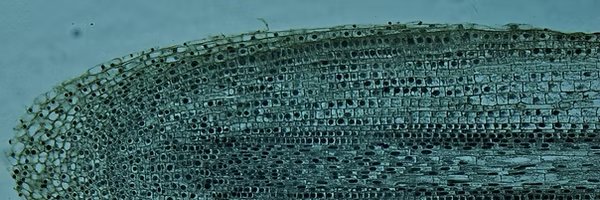
"Growing roots drift out of the field of view in under an hour at high resolution. Overnight experiments required someone at the microscope all night."
The lab needed long time-lapses of growing root tips, often running for hours or overnight without an operator present. Roots move continuously, and the microscope has no built-in way to follow them.
We built a closed-loop tracking system: after each image, the software estimates how far the root tip has moved by comparing it to the previous image, then repositions the stage to keep it in frame. Sessions can be paused and resumed across workstations. The dataset comes out as a continuous time-lapse, not a collection of manually corrected fragments.
"AFM and LSM were two independent systems. They couldn't capture the same event at the same time. What was needed was simultaneity."
The lab studies virus-cell and immune-cell interactions at the nanoscale, combining AFM topography with fluorescence imaging. The two instruments shared the same frame but had no native synchronisation, so post-hoc alignment could correct drift but not reconstruct what happened simultaneously in both modalities.
We built a synchronisation loop: the LSM sends a TTL trigger to start each AFM line; when the AFM completes a line, it writes a completion file that ZEN detects and uses to trigger the matching optical acquisition. The two systems run in alternating rhythm, coordinated at the line level. AFM lines are stitched automatically and displayed alongside the corresponding fluorescence data.
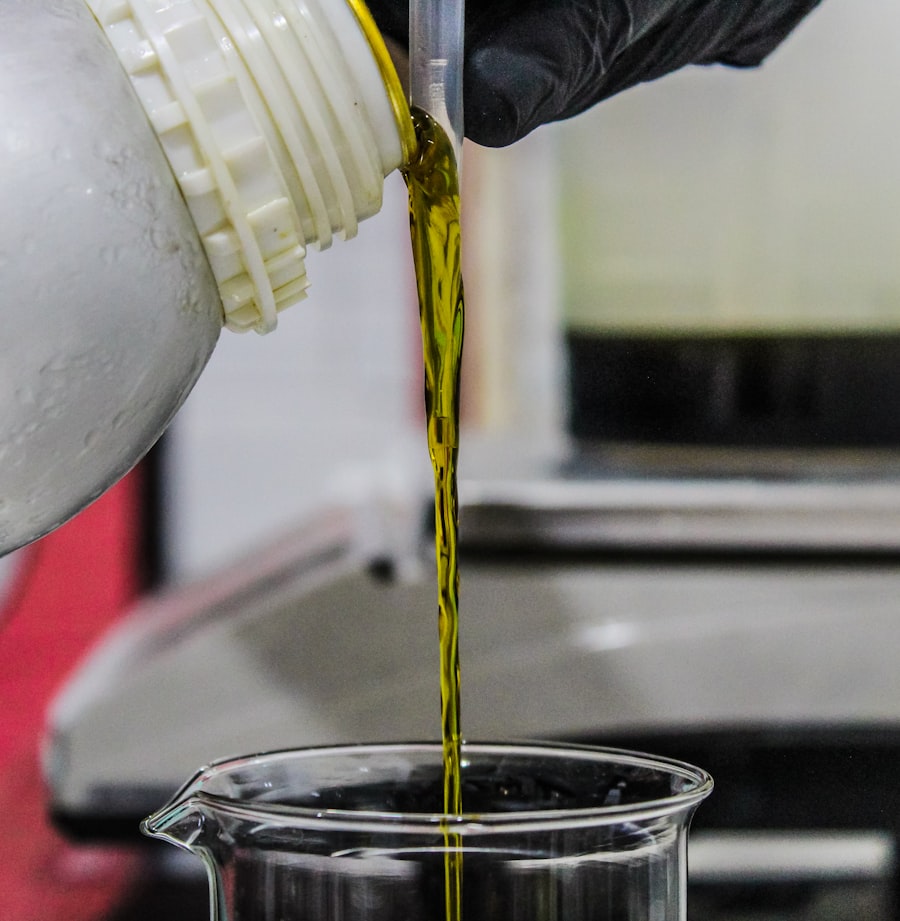
"Analysing multiple oil filters in a session required separate setup steps for each one. Manual configuration, separate exports, no consistent structure across runs."
The lab analyses particles from used lubricant oil to monitor wear in industrial equipment. Each session involved multiple filters, and the previous process required setting up, running, and exporting each one separately, with results that were inconsistent between sessions.
We built a single guided workflow for the full session. The operator confirms focus once per filter; the system handles tiled acquisition, particle segmentation and classification, and structured output with consistent folder naming and labeled representative images per defect class.
Based in Leuven, Belgium, and Romania.
"Writing software that works inside a real microscopy workflow is harder than it looks. You have to understand what the experiment is trying to achieve, what the instrument can and cannot do, and where software can genuinely help without getting in the way.Arthur Sraum, Founder, SmartLabs
We are engineers first, but after seven years in the ZEISS ZEN ecosystem we have learned how people at the microscope actually work: what they care about, what slows them down, and what a useful solution looks like in practice.
When someone describes a workflow to us, we can usually picture the structure of the problem quickly. That shared understanding is often what makes the difference."
We check fit before we scope, and scope before we build. No ambiguous deliverables, no surprises on price.
We understand the problem together. You describe the workflow, we ask specific questions. We will tell you honestly what is feasible and whether it makes sense to proceed. No cost, no commitment.
Once we understand the problem, we define scope, deliverables, fixed price, and timeline in writing. Everything agreed before development starts.
Built around your actual setup, developed in local simulated environments, and validated on your real system. Regular updates throughout so you can redirect early if priorities shift.
Tested on your instruments. Documentation included. The goal is software your team can run and understand without depending on us.
A support period is included after delivery. If your workflow evolves or your instrument changes, we can extend, adapt, or maintain the software.
Describe what you want your workflow to do. We will tell you what is feasible and we will tell you how we can help.
Get in touch →Direct answers to the questions that usually come up during the first call.
Occasional notes on what we are building: workflow patterns, ZEN automation tips, and lessons from real projects. Roughly once a month, never more. Unsubscribe anytime.
Even a rough description is enough. We will come back with honest feedback on what is possible.